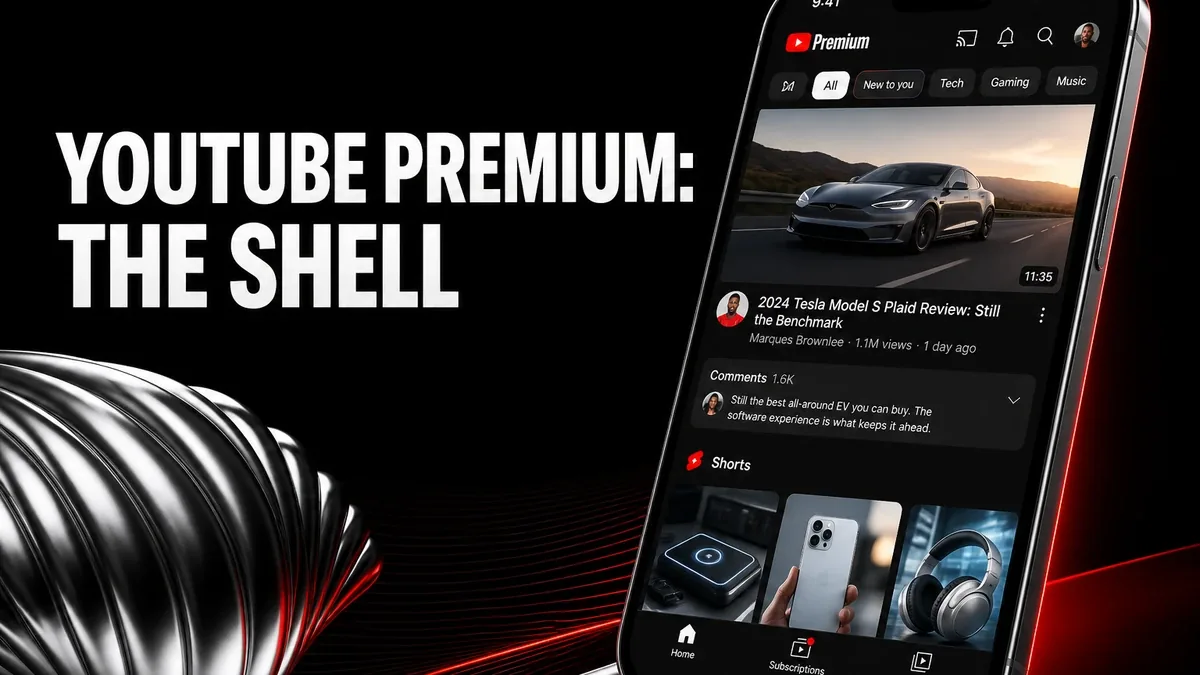
Lightweight YouTube clients win when you only need screen-off audio. A patched YouTube Premium shell wins when the unfinished job is still YouTube itself — subscriptions, history, SponsorBlock, and background play inside the interface you already know.
Download YouTube Premium MOD APK - Premium Unlocked
YouTube Premium · Background Play · SponsorBlock · MicroG · Android 2026
The Real Split Is Official YouTube Shell vs Lightweight Playback Clients
YouTube mods get lumped together as “free Premium.” Jobs differ. GreenTuber-class clients chase background play and fewer ads without the full YouTube UI. Downloaders chase files. A ReVanced-style YouTube Premium build keeps the real YouTube surface — Home, subscriptions, history, Shorts toggles, SponsorBlock, dislike counts — and adds background and ad-light playback, usually with MicroG if you need Google login.
The core thesis of this article is simple: YouTube Premium MOD is better when you still need the official YouTube shell with background play, fewer ads, and login via MicroG, while lightweight third-party clients remain better when you only want screen-off audio without the YouTube interface, and official paid Premium remains better when policy and support must stay fully legitimate. The core trade is familiar YouTube continuity against MicroG setup and patch maintenance — not whether a downloader can save MP4s.
Why “Background Play” Is Not the Same Product as “Still YouTube”
A YouTube Premium-shell night: open Subscriptions, play a 40-minute tutorial, lock the screen, skip sponsor chapters with SponsorBlock, keep history on the same Google account through MicroG. The unfinished job was YouTube habits without pre-roll ads.
A lightweight-client night: one video URL, audio under a locked screen, no subscription grid, no channel home. Continuity of play is the product. Continuity of YouTube is optional.
That is a different decision from GreenTuber vs downloaders (playback continuity versus offline files). Here the axis is whether you still live inside YouTube’s own navigation, or only needed a player pointed at YouTube streams.
What YouTube Premium Actually Does Better
YouTube Premium MOD APK is useful when ad-light playback, background/minimized play, SponsorBlock, and UI cleanup need to sit on the YouTube app you already know — not on a separate client brand.
What you gain: YouTube-shaped browsing plus fewer ads, screen-off play, and extras such as SponsorBlock and dislike counts on builds that include them.
What you lose: Play Store auto-update and a one-tap official install. Most login builds need a matching MicroG helper. Official offline downloads still belong to real Premium accounts, not a local patch.
YouTube Premium MOD is strongest if you watch YouTube daily and will maintain the MicroG pair. It is weaker if you only needed lock-screen audio and refuse extra helpers.
Best For, Not Ideal For
YouTube Premium MOD is best for: daily YouTube users who want the real app shell with background play and fewer ads, and will install MicroG for login.
Lightweight clients are better when: screen-off play is the only Premium habit and you do not need Subscriptions or history sync.
Not ideal for YouTube Premium MOD: users who will not pair MicroG, need guaranteed official offline downloads, or refuse patched YouTube for account-policy reasons.
Biggest cost: helper maintenance. The unit of cost is MicroG/YouTube version pairing after an update — not missing a floating-window brand.
Common mistake: installing a YouTube Premium APK then skipping MicroG, and calling the build broken when login was the missing piece.
Before You Choose YouTube Premium
Before choosing YouTube Premium MOD, name the habit you open daily. If it is Subscriptions and long videos inside YouTube, the patched shell fits. If it is only audio under a lock screen, a lighter client may be enough.
For background play without the official YouTube UI, see when GreenTuber is worth using. For MicroG and login failures, read YouTube Premium APK not working and MicroG sign-in fixes. For YouTube Music builds rather than YouTube video, use which YouTube Music mod is best for daily use. For install help, keep the APK parsing error fix and the MOD APK safety guide nearby.
Our Honest Recommendation
Choose YouTube Premium MOD when you still want YouTube’s own shell with cleaner playback. Choose a lightweight client when background audio is the only job. Stay official when account policy risk is unacceptable.
In short: YouTube Premium MOD is better for staying inside YouTube than for replacing YouTube with a thin player.
How to Download YouTube Premium MOD APK
Since the modded version is not available on the Google Play Store, you need to install it manually. Follow these steps:
- Enable Unknown Sources: Open Android settings, go to "Security" or "Apps," and enable "Install from Unknown Sources."
- Install MicroG First: If you need Google login, install the MicroG helper recommended for this YouTube build before the YouTube APK.
- Download the APK: Use the app page link to get the latest YouTube Premium MOD APK version.
- Remove Conflicting Versions: Uninstall official YouTube or other patched YouTube packages first if installation fails due to signature conflict.
- Judge It by Shell Plus Background: Sign in if you need history, play a long video, lock the screen, and skip one sponsor segment if SponsorBlock is on. If you never open Subscriptions, a lighter client may have been enough.
YouTube Premium MOD only earns space if the YouTube interface is still the product. Background play without MicroG pairing is a different, thinner job.
FAQ
Do I need MicroG for YouTube Premium MOD?
For Google account login on most ReVanced-style builds, yes. Ad-light playback and background play can work without sign-in; history and subscriptions will not sync.
Who should use YouTube Premium MOD?
Daily YouTube watchers who want the real app shell with fewer ads and background play, and will maintain a matching MicroG pair.
When is YouTube Premium MOD the wrong choice?
When you only need lock-screen audio, refuse MicroG, or require official Premium offline downloads and store updates.
What is the biggest trade-off with YouTube Premium MOD?
You keep YouTube’s own navigation, but you take MicroG pairing and manual updates instead of Play Store Premium.
If the job is still YouTube — not just a stream URL — a patched YouTube Premium shell matches the habit better than a thin background client.