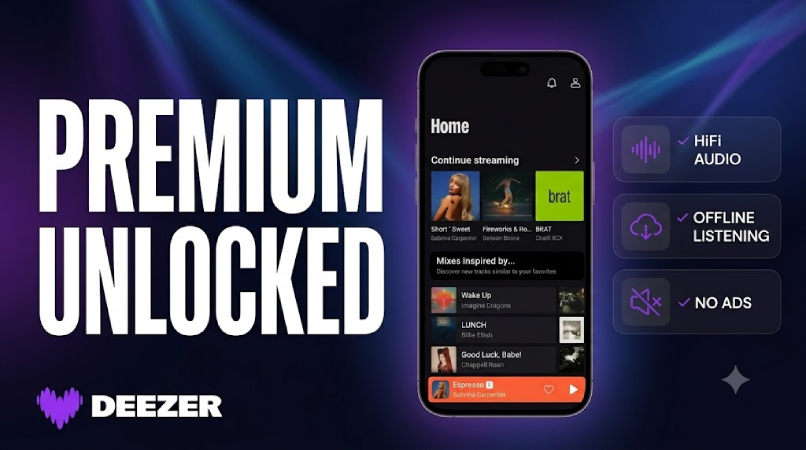
Most people stick with whatever music app came on their phone. But if you are tired of ads, skip limits, and shuffle-only playlists, there is a better free option — and it might not be the one you think.
Download Deezer MOD APK — Premium Unlocked
Music Streaming · Deezer MOD APK · Offline Music · Lossless HiFi · Ad-Free
Why Your Free Music App Choice Actually Matters
You probably listen to music on your phone every day — commuting, working out, at the office, or before sleep. That makes your streaming app one of the most-used apps on your device. Yet most people never question whether the free tier they are using is actually good enough.
The problem is, free music streaming apps come with real compromises that affect your daily listening. Ads that interrupt your focus. Skip limits that force you to sit through songs you do not want. Shuffle-only playlists when you need a specific track. No offline downloads when you are on a flight or the subway. These are not minor annoyances — they change how you experience music every single day. If you are looking for a free music streaming app that gives you more control, Deezer MOD APK is worth a serious look. Here is how it compares to Spotify, YouTube Music, and SoundCloud — and when it makes sense to switch.
How Four Popular Free Music Apps Actually Feel in Daily Use
Instead of listing specs side by side, we want to tell you what each app actually feels like when it is the only music streaming app on your phone — because that is how most people use them.
Spotify Free is the app everyone tolerates. With over 100 million tracks, it has the largest mainstream catalog. Collaborative playlists, friend activity, and Discover Weekly make it the best social music app available. But the free tier is designed to push you toward Premium. On mobile, you cannot pick your next song — shuffle-only mode decides for you. You get six skips per hour, which sounds reasonable until you are in the middle of a workout and a slow ballad kills your energy and you cannot skip it. Ads play every two to three songs, usually 15 to 30 seconds, and they are unskippable. Offline downloads and on-demand playback? Locked behind $10.99 per month. Most Spotify Free users do not realize how much they are compromising until they try an alternative.
YouTube Music Free has the best search, the worst daily experience. It pulls from YouTube's entire library, which means you can find rare live performances, bootlegs, and unofficial remixes that Deezer and Spotify do not carry. But the free tier is essentially YouTube with an audio layer. Ads are video-based and take over your entire screen — during a commute or a run, having to look at your phone just to close an ad is impractical. Audio quality caps at 256 kbps, which sounds flat if you have decent headphones. Offline downloads and skip control are Premium-only. And because it loads video assets in the background even during audio-only playback, it noticeably drains more battery than dedicated audio streaming apps. YouTube Music is a search tool, not a daily driver.
SoundCloud is essential for discovery, not for daily listening. With 320 million user-uploaded tracks, it is the only place to find unsigned artists, DJ sets, and underground remixes. But audio quality is completely inconsistent — one track is studio-mastered, the next is a phone recording. Ads play at unpredictable volumes, offline downloads are not available on the free tier, and SoundCloud Go+ still does not offer lossless streaming. SoundCloud belongs on your phone as a supplement, not your only music streaming app.
Deezer MOD APK is the only one that does not feel like a free tier. With 90 million+ tracks, ad-free listening, unlimited skips, on-demand playback, offline downloads, and lossless HiFi audio — none of which require a subscription — it is the only app in this group where the free experience does not constantly remind you that you are not paying. That is not a small thing. It changes how you listen every day.
Spotify Free: Great Social Features, Limited Free Experience
Spotify is the most popular music streaming app in the world, and for good reason. Its catalog of over 100 million tracks is the largest among mainstream services. Collaborative playlists, friend activity feeds, and Discover Weekly make it the best option if you share music with friends or want to see what others are listening to.
But the free tier is where Spotify falls short. On mobile, you cannot choose which song plays next — you are locked into shuffle-only mode. You are limited to six skips per hour, which becomes frustrating during workouts or when a song does not match your mood. Ads play every two to three songs and cannot be skipped, breaking your listening flow at the worst moments. Offline downloads, on-demand playback, and higher audio quality all require Spotify Premium at $10.99 per month.
What Spotify does best: Social features. Collaborative playlists, friend activity, and a recommendation algorithm that handles genre shifts well. If sharing music is part of your daily routine, Spotify still leads here.
Who should stay with Spotify Free: Casual listeners who treat music as background noise and do not mind shuffle playback. Users who rely heavily on collaborative playlists and social features.
Who should switch to Deezer MOD APK: Anyone who wants to pick their own songs, skip freely during workouts, listen without ads, or download music for offline use.
YouTube Music Free: Best Search, Worst Free Listening Experience
YouTube Music has one genuine advantage over every other music streaming app: search. Because it pulls from YouTube's massive video library, you can find rare live performances, unofficial remixes, bootleg recordings, and full concert sets that do not exist on Deezer or Spotify. If you frequently search for obscure or live music, YouTube Music is unmatched.
The free experience, however, is frustrating. Ads are video-based, which means they take over your entire screen. During commutes or workouts, having to look at your phone to close a full-screen ad is more than annoying — it is impractical. Audio quality caps at 256 kbps, which sounds flat compared to Deezer's lossless streaming. Offline downloads and skip control require a Premium subscription. During daily usage, we also noticed that YouTube Music tends to consume more battery than dedicated audio streaming apps, likely because it loads video assets in the background even during audio-only playback.
Who should use YouTube Music: People who frequently search for rare live performances, unofficial uploads, or music-video content that other platforms do not carry.
Who should avoid it as a primary app: Anyone who wants ad-free listening, battery efficiency, offline music downloads, or a clean background-listening experience.
SoundCloud Free: Best for Discovery, Not for Daily Listening
SoundCloud is not really competing with mainstream music streaming apps. With over 320 million user-uploaded tracks, it is the best platform for discovering unsigned artists, remixes, DJ sets, and underground music that does not exist anywhere else. If discovering new independent music is your priority, SoundCloud has no equal.
But the free experience has clear limitations. Audio quality is inconsistent because anyone can upload at any bitrate — one track might sound great, the next is a low-quality phone recording. Ads are frequent and sometimes play at inconsistent volumes. Offline downloads are not available on the free tier. SoundCloud Go+ removes ads and adds offline mode but still does not offer lossless streaming.
Our honest take: SoundCloud is an excellent discovery tool, but it should not replace your primary music streaming app. Use it to find new artists, then add what you like to your Deezer or Spotify library.
Who should use SoundCloud: Indie music fans, producers, DJs, and anyone exploring underground or niche genres.
Who should avoid it as a daily driver: Anyone who needs consistent audio quality, ad-free listening, or offline music downloads.
Deezer MOD APK: What Makes It the Best Free Music Streaming App
Deezer MOD APK unlocks all Deezer Premium features without a subscription. This means ad-free listening, unlimited skips, on-demand playback, offline downloads, and access to Deezer's entire catalog of over 90 million tracks. It also includes Deezer HiFi — lossless FLAC audio streaming at CD quality, which is something no other free music streaming app offers.
But beyond the feature list, what actually matters is how these features change your daily listening. Based on our experience using Deezer MOD APK as a primary music app, here is what stood out — and what did not.
What surprised us the most: unlimited skips. We expected Deezer HiFi to be the headline feature. But during daily usage, the feature that made the biggest difference was unlimited skips. On Spotify Free, we had trained ourselves to tolerate songs we did not want to hear because skipping was rationed. With Deezer MOD APK, that habit disappeared almost immediately. Skipping became instinctive — during workouts, commutes, and office hours, we were actively choosing what to hear instead of passively accepting it. If you skip songs frequently, this alone makes Deezer MOD APK worth downloading.
Deezer HiFi: impressive in the right conditions, unnecessary in others. Deezer HiFi streams lossless FLAC audio at 16-bit / 44.1 kHz. If you listen through wired headphones or a car audio system connected via USB, the difference compared to standard streaming is genuinely noticeable — clearer highs, tighter bass, more vocal detail. But if you listen primarily through standard Bluetooth earbuds or phone speakers, the hardware simply cannot reproduce the difference. During daily usage on Bluetooth earbuds, we noticed a slight improvement at most. For most casual listeners on wireless earbuds, HiFi is not a reason to choose Deezer MOD APK — but it is a significant bonus if you have good headphones or a wired car audio setup.
Flow: great for passive listening, less smooth with genre shifts. Flow is Deezer's personalized radio that learns your taste and mixes familiar songs with new recommendations. For passive listening — office background, cooking, commuting — Flow learns quickly and serves relevant tracks with accuracy. However, when we deliberately explored genres outside our usual preferences, Flow took noticeably longer to adjust compared to Spotify's algorithm, and the transition period sometimes felt jarring rather than exploratory.
SongCatcher: convenient but not a Shazam replacement. SongCatcher is Deezer's built-in song recognition tool — tap the icon, point your phone at a music source, and the track is identified and saved to your library. For mainstream tracks and popular songs, it works well. But for remixes, live versions, and songs playing in noisy environments like cafes or gyms, it missed more often than Shazam. SongCatcher is a nice convenience feature to have within your music streaming app, but it does not fully replace dedicated song recognition apps.
What disappointed us. Deezer's user interface is functional but not as polished as Spotify's. Artist pages and recommendation playlists outside of Flow feel less curated. During daily usage with large offline libraries, downloading very large playlists occasionally required restarting the app. The audio quality toggle is buried deep in settings rather than being accessible from the Now Playing screen, which means many users may never find the HiFi option.
If you listen mostly through Bluetooth earbuds, save your data and battery by switching to standard quality in Deezer's settings. Use HiFi only when you are on Wi-Fi with wired headphones or a car audio connection — that is where the difference is actually audible.
Does Deezer HiFi Lossless Audio Actually Matter?
Deezer MOD APK is the only free music streaming app that offers lossless audio. But "lossless" is one of the most misunderstood terms in music streaming. Here is what you actually need to know before deciding whether Deezer HiFi matters to you.
What lossless actually means. Standard streaming services compress audio to save bandwidth — typically to AAC or OGG formats at 128–320 kbps. This compression removes audio data that most people do not notice. Lossless audio (FLAC) preserves all the original recording data, delivering CD-quality sound at 16-bit / 44.1 kHz. The file sizes are larger, which means more storage if you download for offline listening and more data usage if you stream over mobile.
When you can hear the difference. The most important factor is your listening hardware, not the streaming app. Wired headphones over $100 and car audio systems connected via USB will reproduce the detail that lossless audio provides. Acoustic instruments, classical music, jazz, and well-produced vocal tracks show the clearest improvement. If this describes your setup, Deezer HiFi is a genuine upgrade over standard streaming.
When you probably cannot hear the difference. Standard Bluetooth earbuds that use SBC or AAC codecs compress the audio further before it reaches your ears, which largely negates the benefit of lossless streaming. Phone speakers physically cannot reproduce the frequency range that HiFi provides. If your daily listening setup is Bluetooth earbuds on the bus or phone speakers in the kitchen, Deezer HiFi will not noticeably change your experience.
Bluetooth and lossless: the codec problem. Even premium Bluetooth earbuds that support LDAC (up to 990 kbps) can technically carry lossless audio, but in real-world conditions, most phones and earbuds do not maintain a stable LDAC connection at full bitrate — they automatically drop to lower bitrates to save battery. So even with LDAC earbuds, the improvement from lossless streaming is smaller than what you get from a wired connection.
Our honest take: If you have invested in good wired headphones or your car supports USB audio, downloading Deezer MOD APK for lossless streaming is worth it. If you only use wireless earbuds and phone speakers, standard quality is perfectly fine — and you should not let HiFi be your main reason for choosing a music streaming app.
Which Free Music App Should You Download?
There is no single best music streaming app for everyone. Based on typical listening habits, here is which one makes sense for different users:
If you want a complete free music experience: Download Deezer MOD APK. It is the only free option that gives you ad-free listening, unlimited skips, on-demand playback, offline downloads, and lossless audio without paying. If you are currently on any free tier and frustrated by limitations, this is the upgrade that actually feels like one.
If you already pay for Spotify Premium: Stay with Spotify. You already have ad-free listening, unlimited skips, and offline downloads. Switching to Deezer MOD APK would save you money but cost you Spotify's social features and playlist ecosystem. The trade-off is only worth it if lossless audio genuinely matters to your listening setup.
If you commute or travel and need offline music: Deezer MOD APK. Offline downloads are available on the free tier, which no other app in this comparison offers. This alone makes it the best offline music app for frequent travelers.
If you work out and skip constantly: Deezer MOD APK. Unlimited skips and on-demand playback mean you control your workout playlist entirely.
If you care about audio quality and have good headphones: Deezer MOD APK is the only free music app that streams lossless HiFi audio. No other option comes close.
If you want to discover independent and underground music: Use SoundCloud as a supplement alongside your primary app. No mainstream streaming app can match its user-upload library.
Our honest bottom line: Deezer MOD APK delivers the most complete free music streaming experience available. But if you are already paying for Spotify Premium and are happy with it, do not switch just because Deezer has HiFi — the social and playlist features you lose may matter more to your daily listening than slightly better audio quality.
How to Download Deezer MOD APK
Since Deezer MOD APK is not available on the Google Play Store, you need to install it manually. Follow these steps:
- Enable Unknown Sources: Go to your Android settings, navigate to "Security" or "Apps," and enable "Install from Unknown Sources."
- Download the APK: Use the download link on the app page to get the latest Deezer MOD APK version.
- Uninstall the Official Version: If you have the original Deezer app installed from the Play Store, remove it first to avoid signature conflicts during installation.
- Install the APK: Open your file manager, locate the downloaded file, and tap to install.
- Launch and Sign In: Open Deezer, log in to your existing account or create a new one. All premium features including ad-free listening and Deezer HiFi are active immediately.
If installation fails with an "App not installed" error, make sure you have fully removed any previous version of Deezer before retrying. After signing in, go to Settings and adjust audio quality — set Wi-Fi to HiFi for the best experience and mobile data to standard to save battery.
FAQ
Is Deezer MOD APK safe to download?
The Deezer MOD APK hosted here has been tested and verified for Android 7.0+ devices. As with any sideloaded APK, only download from trusted sources and keep your mobile security app enabled.
What does Deezer MOD APK unlock that the free version does not?
Deezer MOD APK unlocks all Premium features: ad-free listening, unlimited skips, on-demand playback, offline downloads, Deezer HiFi lossless audio, and access to the full 90 million+ track catalog. No subscription is required.
Is Deezer MOD APK better than Spotify Free?
For most users, yes. Deezer MOD APK gives you features that Spotify only offers on Premium — ad-free listening, unlimited skips, on-demand playback, and offline downloads. The main advantage Spotify Free retains is its social features like collaborative playlists and friend activity, which Deezer does not match.
Does Deezer MOD APK work without root?
Yes. Deezer MOD APK installs on any standard Android 7.0+ device without root. Just enable "Install from Unknown Sources" in your settings and install the APK.
Can I download music for offline listening with Deezer MOD APK?
Yes. Offline downloads are fully unlocked in Deezer MOD APK. You can download playlists and albums for offline listening without a subscription. Keep in mind that lossless HiFi downloads use more storage than standard quality.
Should I switch from Spotify Premium to Deezer MOD APK?
Only if lossless audio is genuinely important to you. Spotify Premium already gives you ad-free listening, offline downloads, and unlimited skips. You would gain Deezer HiFi but lose Spotify's social features and curated recommendations. For most Premium users, the trade-off is not worth the hassle of migrating playlists.
If you are tired of ads, skip limits, and shuffle-only playlists, Deezer MOD APK gives you full premium features without a subscription. Download it and see if the difference matters to your daily listening.